

by AT80 Studios
Chrono91 is a fullscreen digital clock inspired by classic LCD watches, designed with precision and attention to detail.
Turn your device into a clean, distraction-free time display for bedside, desk, or everyday use.
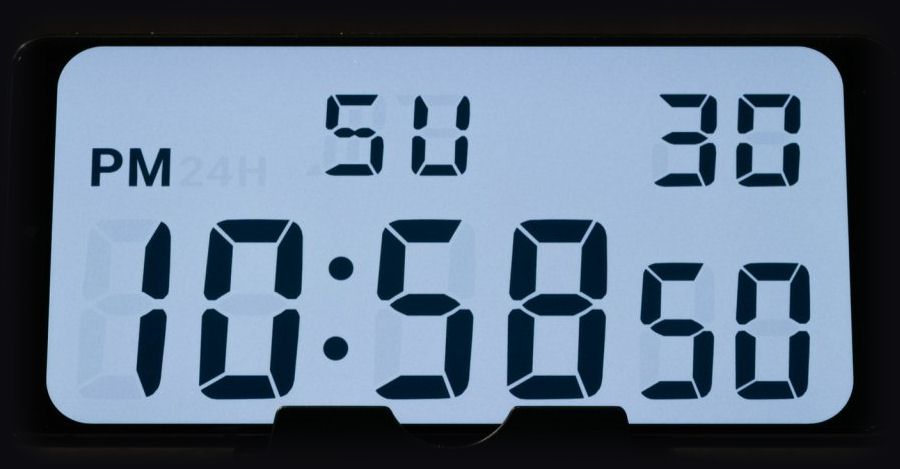
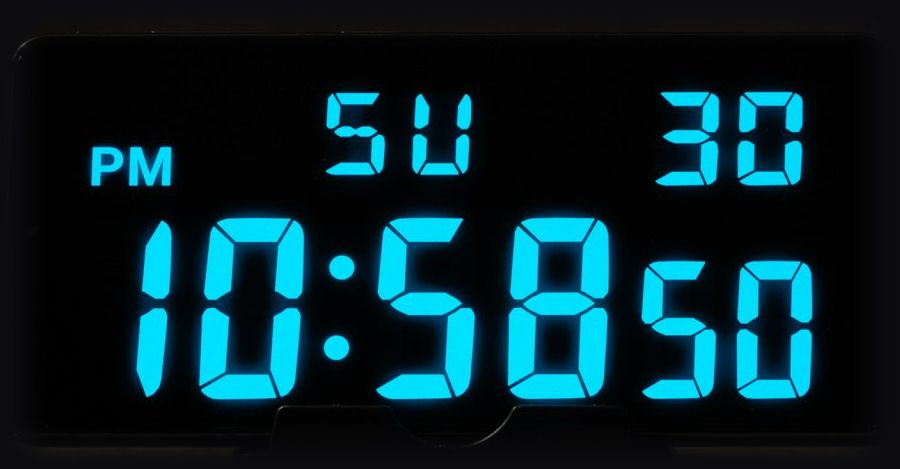

Fullscreen clock
A clean, distraction-free digital display that fills your screen.
Custom themes
Choose from classic LCD, inverted / negative and LED styles to create your perfect look.
Home screen widget
Keep the time visible at a glance, right on your home screen.
Simple controls
Minimal, intuitive controls inspired by classic digital watches.
Backlight
Activate a backlight with a single press for an authentic feel.
Built for ambient use
Perfect as a bedside or desk clock, with a clear, readable display at any time of day.
FAQs
Is there a home screen widget?
Yes, Chrono91 includes a home screen widget so you can keep the time visible at a glance without opening the app. The widget can be customized independently from the main display.
Are inverted / negative displays available?
Yes, Chrono91 includes inverted display themes, allowing you to switch between classic light and dark styles.
Are other watch faces available?
Chrono91 focuses on a single, carefully recreated display. Additional styles may be added in the future.
Is this available for iOS?
Chrono91 is only available on Android. An iOS version may be considered in the future.
Is there a lock screen widget or always-on display / screen saver?
Support for lock screen widgets and always-on displays varies across Android devices and manufacturers, so these are not implemented at the moment.
My home screen widget isn't updating. How do I fix this?
On some Android devices, battery optimization settings can stop widgets from updating properly.
Try the following:
- Disable battery optimization for Chrono91
- Allow background activity
Xiaomi / HyperOS devices (common fix):
- Go to Settings > Apps > Manage apps > Chrono91
- Enable Autostart
- Set battery usage to No restrictions
Once these settings are adjusted, the widget should update normally.